No documentation, no service catalogue
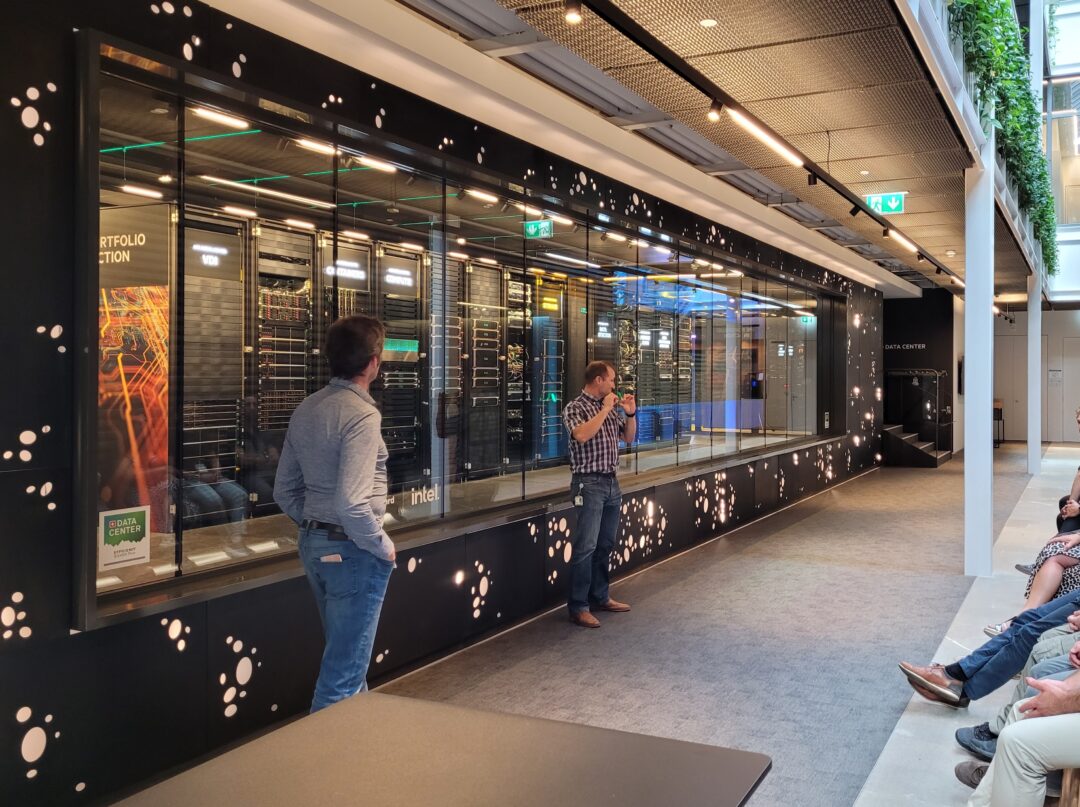
The HPE Customer Innovation Center runs a genuinely complex estate: 1,000 servers, 500 switches and a long list of other systems spread across an HPE data centre. Several problems were getting in the way of running it day to day, starting with the absence of any shared documentation.
“At the beginning we had no centralised documentation and no service catalogue to work from efficiently. People would come and tap you on the shoulder, or send an email, and things got lost,” says Frédéric Thibaut. “If a key colleague was away, carrying on with a project became difficult.”
And with a new IT project starting every week, infrastructure has to be deployed quickly and reliably.
Using the iTop CMDB to document and centralise
iTop changed how the Customer Innovation Center manages its IT services. Centralising the information was the first major piece of work. “With iTop and its CMDB, we documented the 1,000 servers and 500 switches, which lets us react faster when something goes wrong,” says Frédéric Thibaut. That central documentation streamlined operations and made critical data easy to reach. “With the CMDB we know where the equipment is, and we can set up demonstrations quickly,” adds Laurent Wojkowiak. The team went further. “We built a tool on the iTop API to automate adding new equipment to the CMDB as soon as it comes online,” Frédéric Thibaut explains. That removed manual work and sped up everything downstream of it.
Improving IT services with iTop
HPE also built an iTop service portal with pre-configured requests, to handle the straightforward things users need. “It gave us much better qualification of what people were actually asking for, while keeping the flexibility to handle one-off requests,” says Laurent Wojkowiak.
iTop has kept a detailed history since it was installed, covering incidents and asset management. That has made operations more traceable and more transparent. System backups run to a virtual machine and can be restored straight from the iTop interface if anything goes down.